Reverberation
HOLOPHONIX integrates a 3D algorithmic reverberation developed by Ircam's STMS Lab, offering control over both acoustic propagation parameters for virtual sources and reverberation simulation settings.
Each spatialization bus is associated with a reverberation bus, that is adapted to the spatialization format. When a virtual source is routed to a spatialization bus, it is automatically routed to the corresponding reverberation bus.
Understanding the Reverberation Engine
When an acoustic source radiates its sound in a room, its energy propagates across multiple directions before coming back to our ears. We perceive the direct sound first, then the early reflections, and finally the diffuse field.
The direct sound comes from a unique direction, at the localization of the source. In standard reverberations this is often called the "dry" signal.
The early reflections are caused by the walls close to the source. They come from multiple directions surrounding the source, bringing complementary localization cues, as well as information about the room's size and tone.
Finally, the diffuse field is caused by the multiple and repeated reflections on all the walls of the room. It doesn't bring cues about the source localization, but rather information about the room characteristics such as size and tone. The diffuse field comes from all the directions.
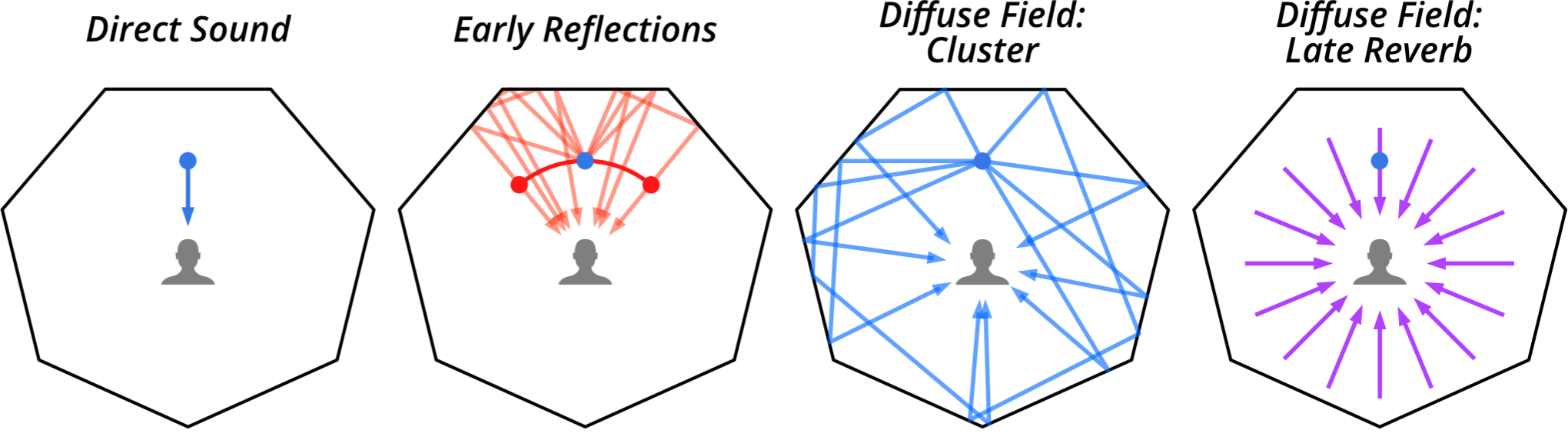
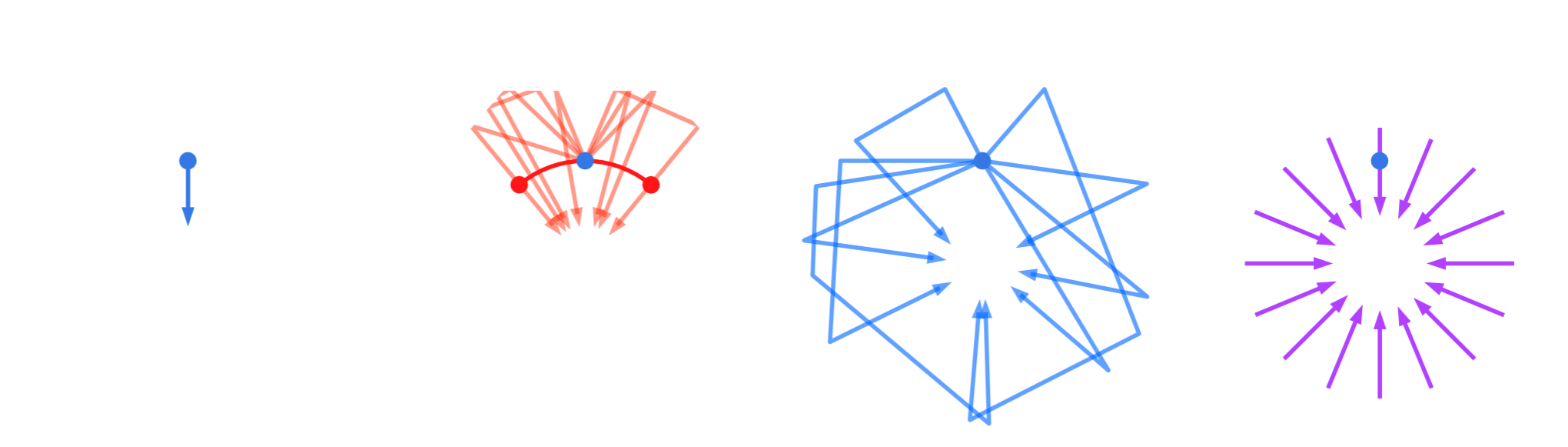
The diffuse field can be subdivided into two temporal sections: the cluster, followed by the late reverberation. The cluster is composed, much like the early reflections, of multiple delayed signals, progressively blending with the late reverb. Finally comes the late reverberation that is caused by so many reflections over the walls that the delays are not perceptible anymore.
The level ratio between those components also has an impact over the perception of distance in sound localization. With its Link mode, HOLOPHONIX allows linking to the source distance the following parameters: source delay, direct, early gain and reverb send.
Source Parameters
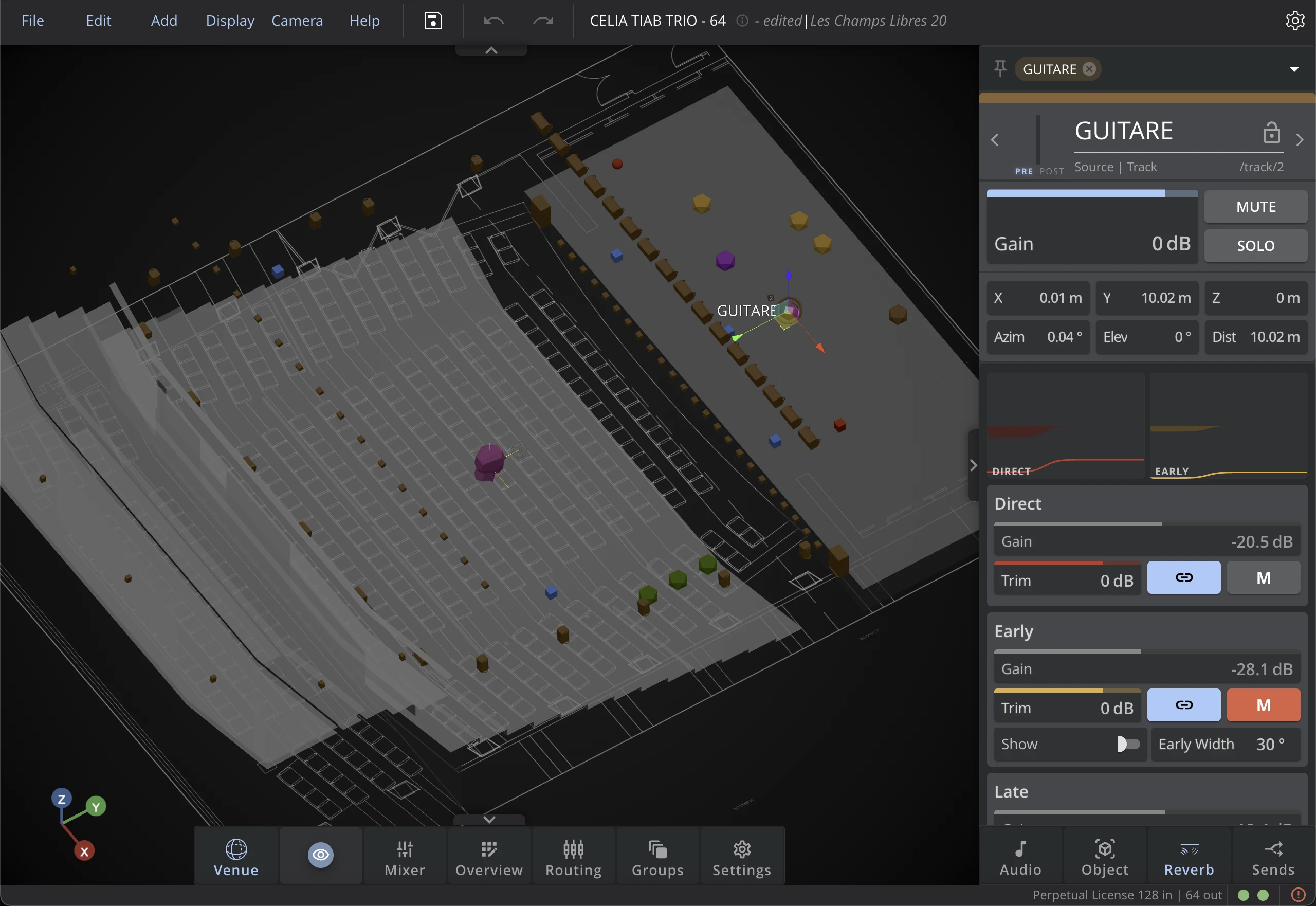
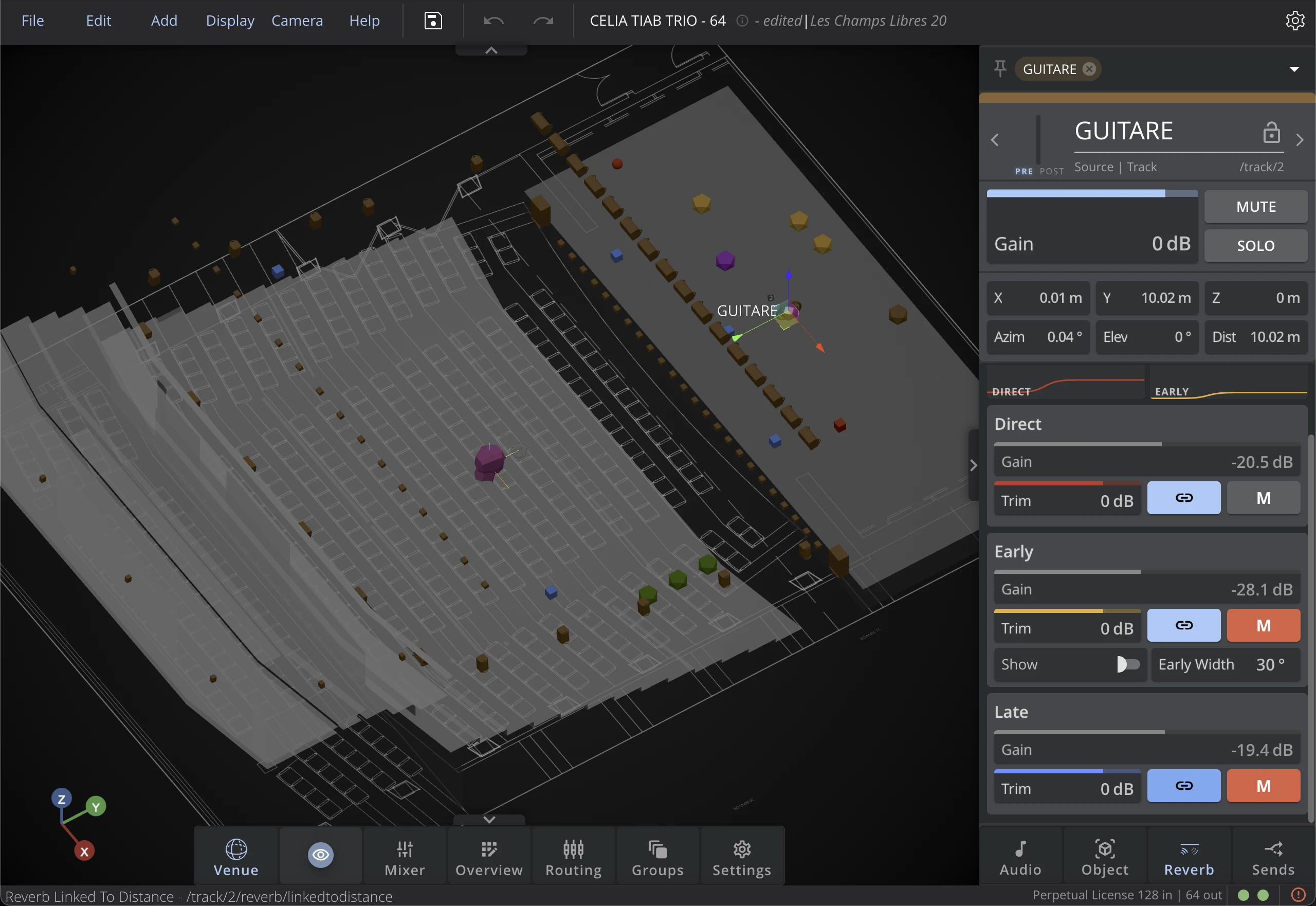
Source-related parameters allow adjusting the direct, early and reverb send levels and mute, the early width and link mode.
Direct
The 'Direct' section corresponds to the sound coming directly from the source, which is the equivalent of the 'dry' signal for standard reverbs.
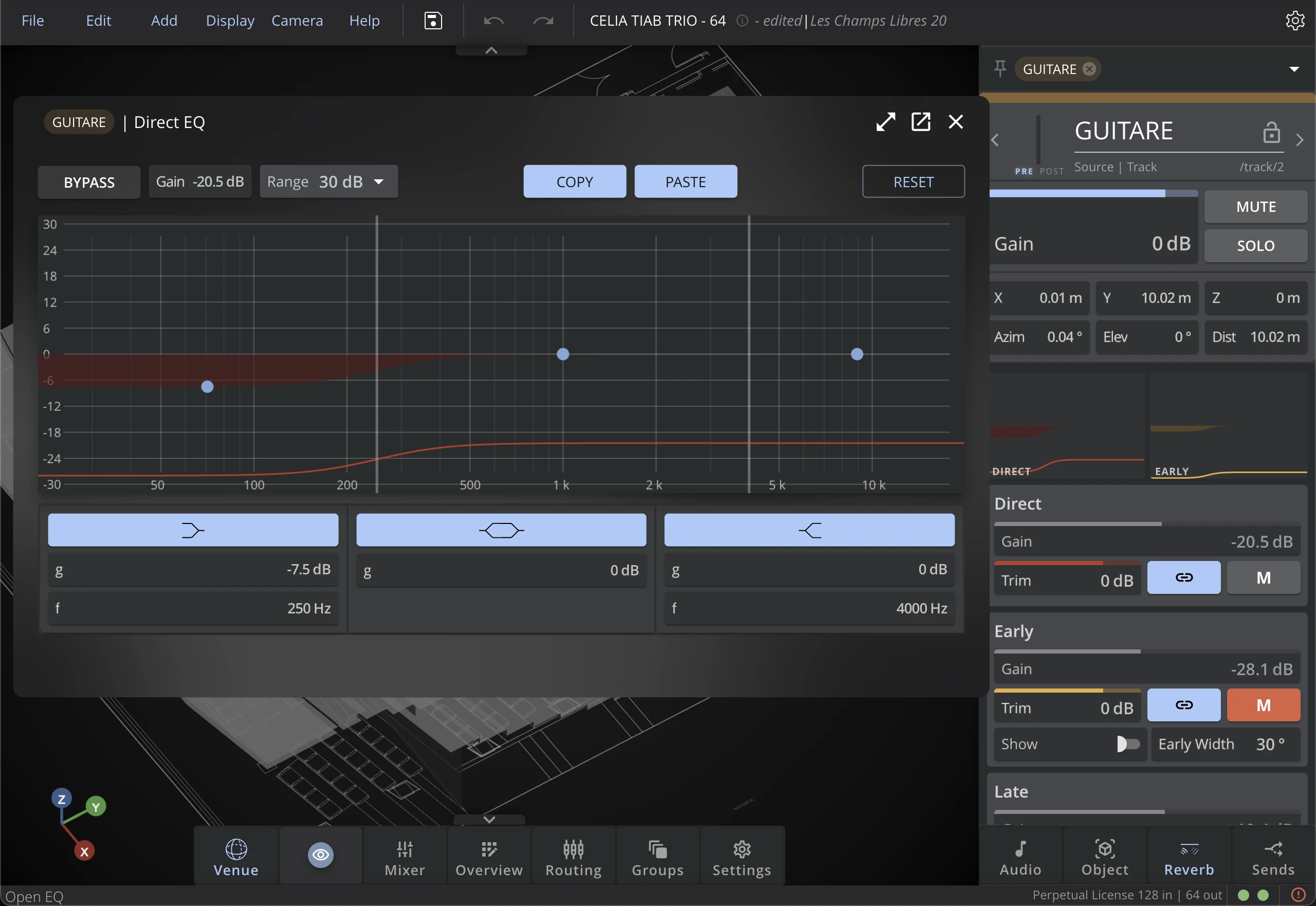
Direct EQ
The direct EQ allows you to adjust the tone of the direct sound, independently from the reverberation. It is a 3-band shelf EQ, with adjustable gain and frequency for each band.
Click on the "Direct EQ" box to open the direct EQ settings.
Early
The early reflections are part of what is usually called the 'wet' signal. However, in HOLOPHONIX, because the early reflections are panned around the source position, this parameter is independent of the rest of the reverberation.
Early EQ
The early EQ allows you to adjust the tone of the early reflections, independently from the reverberation. It is a 3-band shelf EQ, with adjustable gain and frequency for each band.
Click on the "Early EQ" box to open the early EQ settings.
The direct and early EQs are adjusted here, in the source settings. However the cluster and late reverb EQ are adjusted in the bus settings. This is because the direct and early reflections are panned around the source position, while the cluster and late reverb are diffuse and come from all directions.
Early Width
The Early Width sets the wideness of the early reflections around the source position. The 30° default value implies that the leftmost early reflection signal will come from -15° at the left of the source, and the rightmost early signal from +15° at the right of the source.
Late
The late reverberation is the most diffuse part of the reverb, and is the one that brings the most information about the room characteristics. It is also the one that is the least related to the source position.
Gain
The gain sets the level of the signals: Direct, Early and Late. This gain value is calculated by the source's distance when the Link mode is active, and can be adjusted independently when the Link mode is not active.
Trim
The Trim allows you to adjust the level of the Direct, Early and Late signals independently from the source distance when the Link mode is active. It is a gain in decibels that is applied on top of the gain calculated by the distance.
Link Mode
The Link mode 🔗 allows you to link the gain parameter to the source position. The attenuation is calculated according to the distance from the source to the reference point. The gains decay following an inverse square law.
The link mode may cause audible artifacts for sources in movement. It is preferred to only use link mode for static sources.
Mute
The mute button allows you to mute the direct, early and late signals independently from each other. When muting the direct signal, the early reflections and late reverb will still be audible.
Bus Parameters
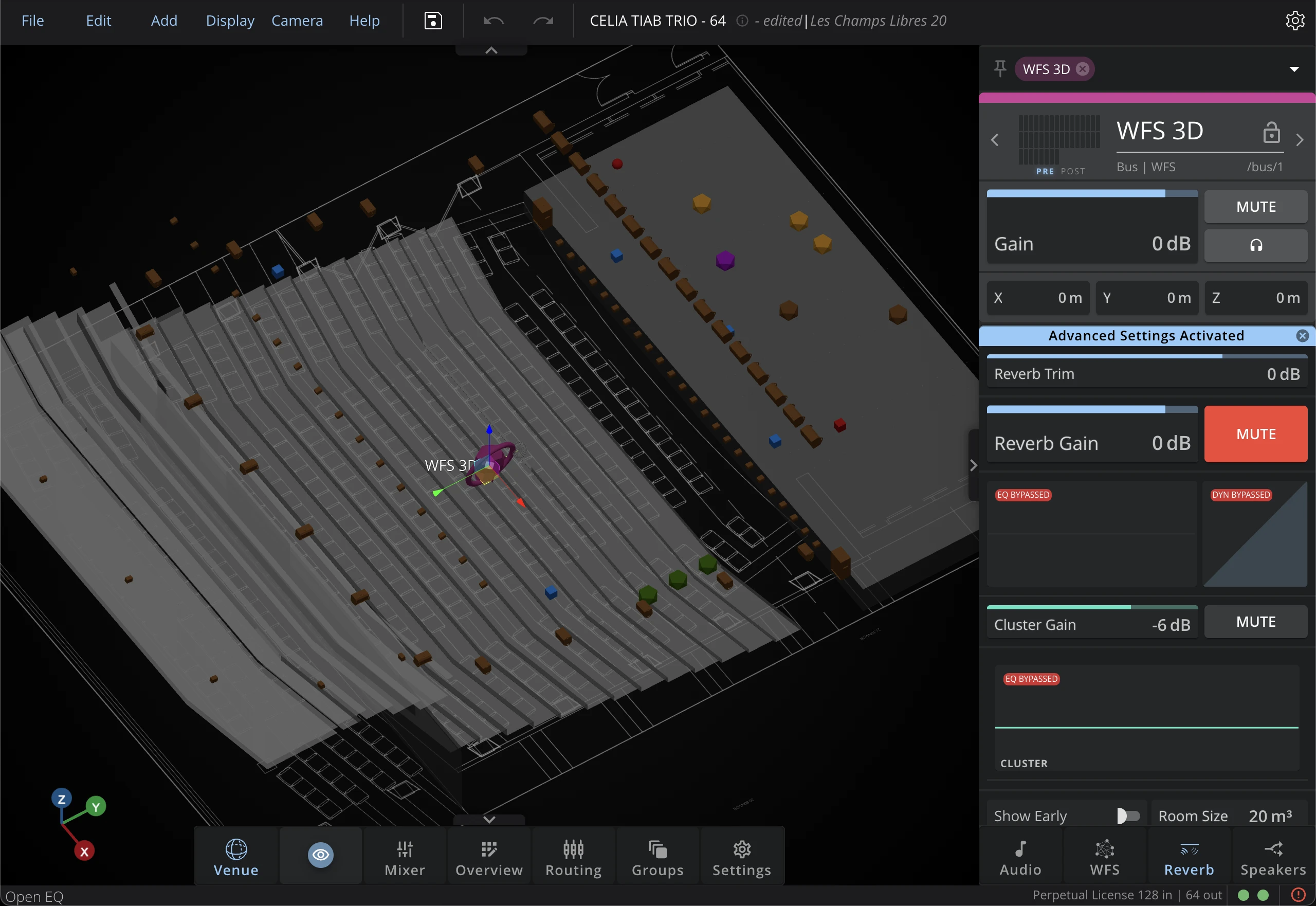
The reverberation parameters are available along with the settings of the associated bus.
Gain
The Reverberation Gain allows adjusting its global level.
You can also individually adjust the Cluster Gain.
Mute
The reverberation integrates a Mute button independent from the bus mute. However, when muting the spatialization bus, the reverb will be automatically muted too, for more convenience. If you want to mute the bus but not the reverberation, you can still unmute the reverb after muting the bus.
You can also mute the cluster independently.
Cluster EQ
The cluster EQ allows you to adjust the tone of the cluster, independently from the late reverb. It is a 3-band shelf EQ, with adjustable gain and frequency for each band.
EQ
The reverberation bus includes the same EQ as any audio object.
Dynamics
The dynamics section allows you to adjust the compression of the reverberation signal. It includes a compressor and expander with adjustable parameters similar to those found in the audio object dynamics section.
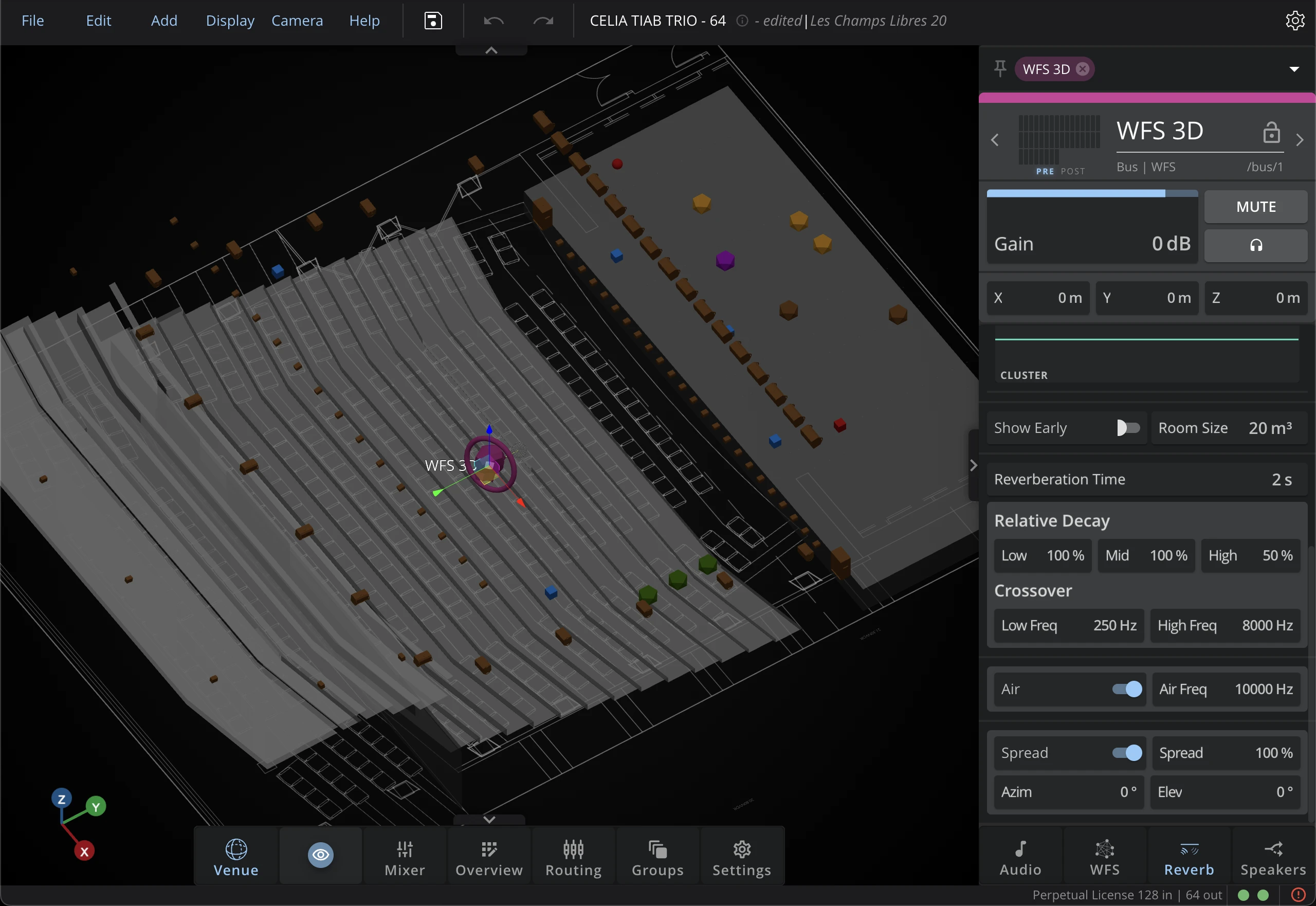
Room Size
This setting allows you to change the perception of the simulated space. It will change the delay values computed for the Early, Cluster and Late sections of the reverb.
Reverb Time
Reverberation Time sets the general reverberation time between 0.1 and 120 seconds.
Relative Decay
The Low, Mid, and High settings allow adjusting the relative reverberation time per frequency band (Low, Medium, High) between 0.1 and 10 times the global reverberation time. Each band decays at an exponential rate.
Crossover
Use Low Freq and High Freq to set the crossover frequencies between these three bands.
Air
The AIR parameter allows you to take into account the air absorption in the reverberation's acoustic simulation.
Spread
The Spread parameter allows you to adjust the wideness of the diffuse field. At 0% the reverb signal will only come from the source position, while at 100% it will be completely diffuse and come from all directions.
The Spread Azimuth and Spread Elevation allows you to adjust the spread direction precisely.