Master
The master sets the general level, EQ and Dynamics of all the HOLOPHONIX's outputs.
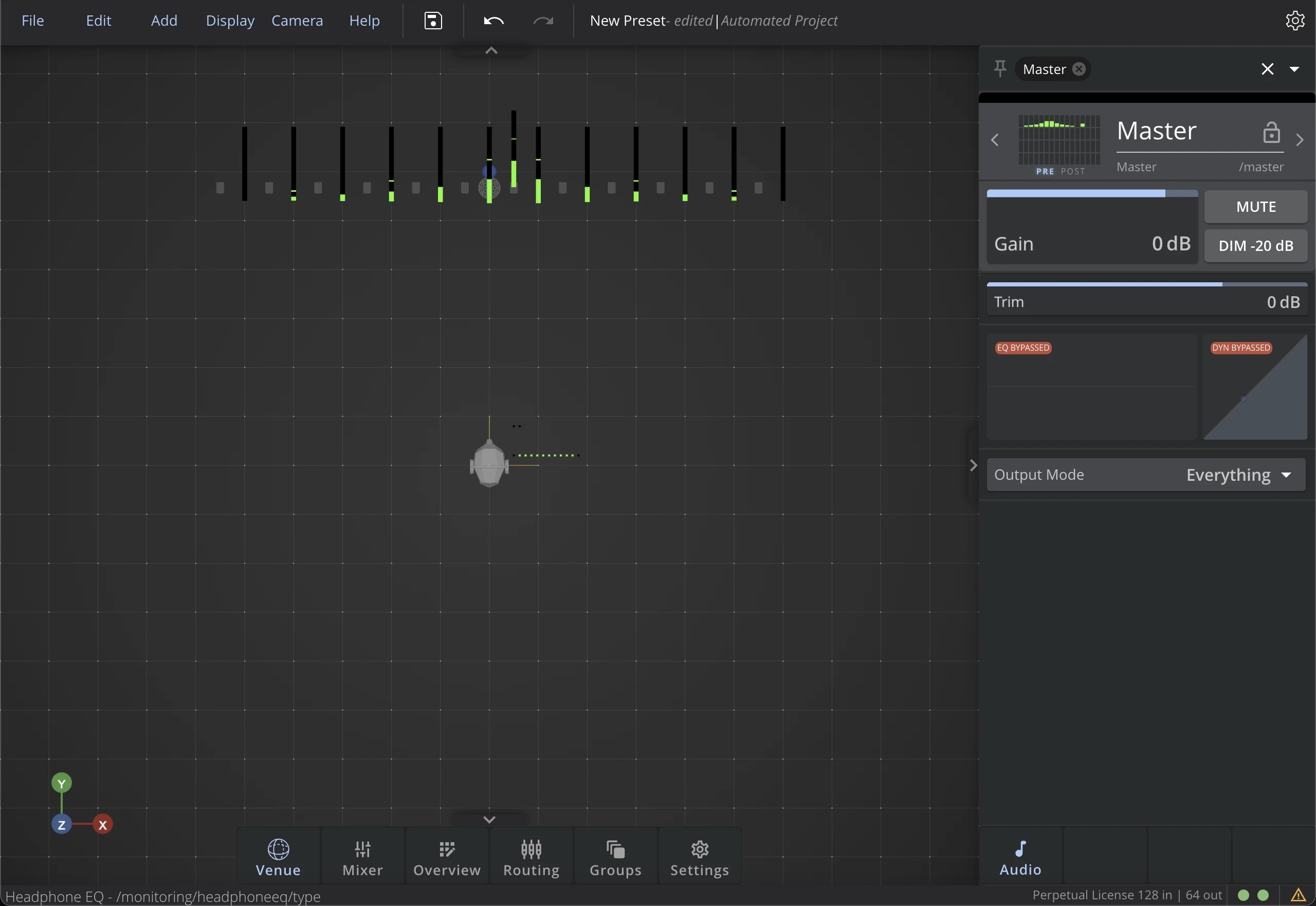
Header Section
Gain
The Gain controls the level of the Master bus, displayed in the Mixer as a fader. Use the Gain to adjust the level of the master between -60 dB (no signal) to +12dB.
Mute
Use the mute function to cut the audio all the outputs of HOLOPHONIX.
Dim
When activated, it attenuates the master level by -20 dB.
Tab Section
Trim
Use the trim to adjust the level of the master between -80dB (no signal) and +30dB.
EQ | Dynamics
Check theEqualizer page and Dynamics page for more details.
Output Mode
Several output options available in the 'MODE' dropdown menu:
- Everything activates all the master's outputs,
- No Monitoring mutes the monitoring output,
- Only Monitoring mutes all outputs except monitoring.
tip
The Only Monitoring option can be useful to keep working on the spatialization even when it is not possible to use the loudspeakers in the room.