AES67
Overview
AES67 is an open, vendor-neutral standard for transporting low-latency, uncompressed audio over IP. It lets equipment from different audio-over-IP ecosystems interoperate on the same network.
HOLOPHONIX 64, 128 and Ultra processors, like many other high-end audio/video equipment, use the Dante Embedded Platform (DEP) for their audio network. Dante can additionally speak AES67, so a HOLOPHONIX processor can exchange audio directly with non-Dante AES67 devices (RAVENNA and other AES67-compatible systems), without a hardware gateway.
AES67 mode is available on the HOLOPHONIX 64, 128 and Ultra processors. Earlier legacy HOLOPHONIX processors do not support it.
AES67 is a feature of the processor's Dante interface. It is configured in Dante® Controller, like the rest of the Dante configuration (see Hardware Setup). HOLOPHONIX Native has no Dante interface and therefore no AES67.
When do you need it?
You only need AES67 to bridge different audio-over-IP ecosystems:
- Two Dante devices always use Dante's native protocol between them — even with AES67 enabled on both. You do not need AES67 for a Dante-only system.
- Enable AES67 only on the devices that must transmit to or receive from a non-Dante AES67 device.
Requirements
- Dante® Controller on a computer connected to the Dante network.
- A properly designed audio network — managed switches, QoS, no Energy-Efficient Ethernet on audio ports. See the Network Design & VLANs guide.
- PTPv2 clocking. AES67 uses PTPv2 (IEEE 1588-2008). Dante uses PTPv1 by default and only exposes PTPv2 once AES67 mode is enabled. All devices must share the same PTP grandmaster and domain (default domain
0). - 48 kHz sample rate — the standard for AES67 interoperability.
Enabling AES67 on the processor
AES67 mode is turned on per device in Dante Controller. For the manufacturer's full reference, see Audinate's AES67 Config documentation.
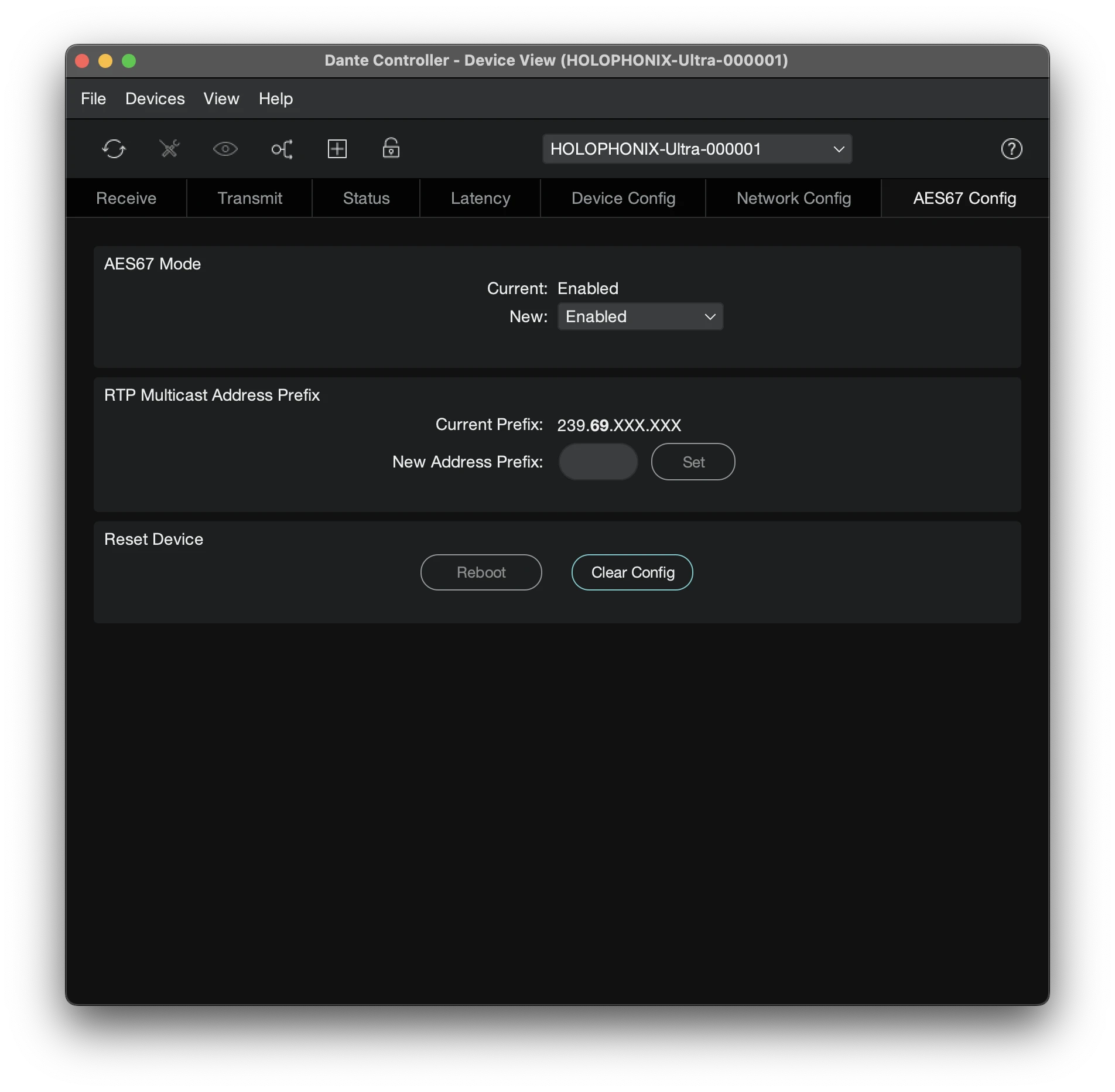
- Open Dante® Controller and double-click the HOLOPHONIX device to open its Device View.
- Open the AES67 Config tab.
- Set AES67 Mode to Enabled.
- If needed, set the RTP Multicast Address Prefix so it matches the other AES67 devices (see Multicast addressing below).
Disabling AES67 mode deletes all AES67 flows and subscriptions the device is part of. Re-enabling it does not restore them — you will have to recreate those connections.
When the device is enrolled in a Dante Domain Manager (DDM) domain, AES67 is managed through DDM and the tab is not available locally.
Multicast addressing
AES67 flows are multicast. A Dante device (including the HOLOPHONIX processor) receives AES67 flows in a single 239.x.x.x/16 range defined by its RTP Multicast Address Prefix, which defaults to 239.69.0.0/16 (239.69.0.0-239.69.255.255).
A sender transmitting on an address outside the receiver's configured prefix — a common third-party default is 239.1.0.1 — will still appear subscribable in Dante Controller, but the subscription stays red at "no audio data": the packets reach the network, Dante just won't accept them.
The fix is to make the prefixes match on both ends. Set the RTP Multicast Address Prefix to the same 239.x range on the HOLOPHONIX device and on the third-party sender — leaving both at the 239.69 default is the simplest option.
Routing AES67 flows
Once AES67 is enabled and the devices are clocked together:
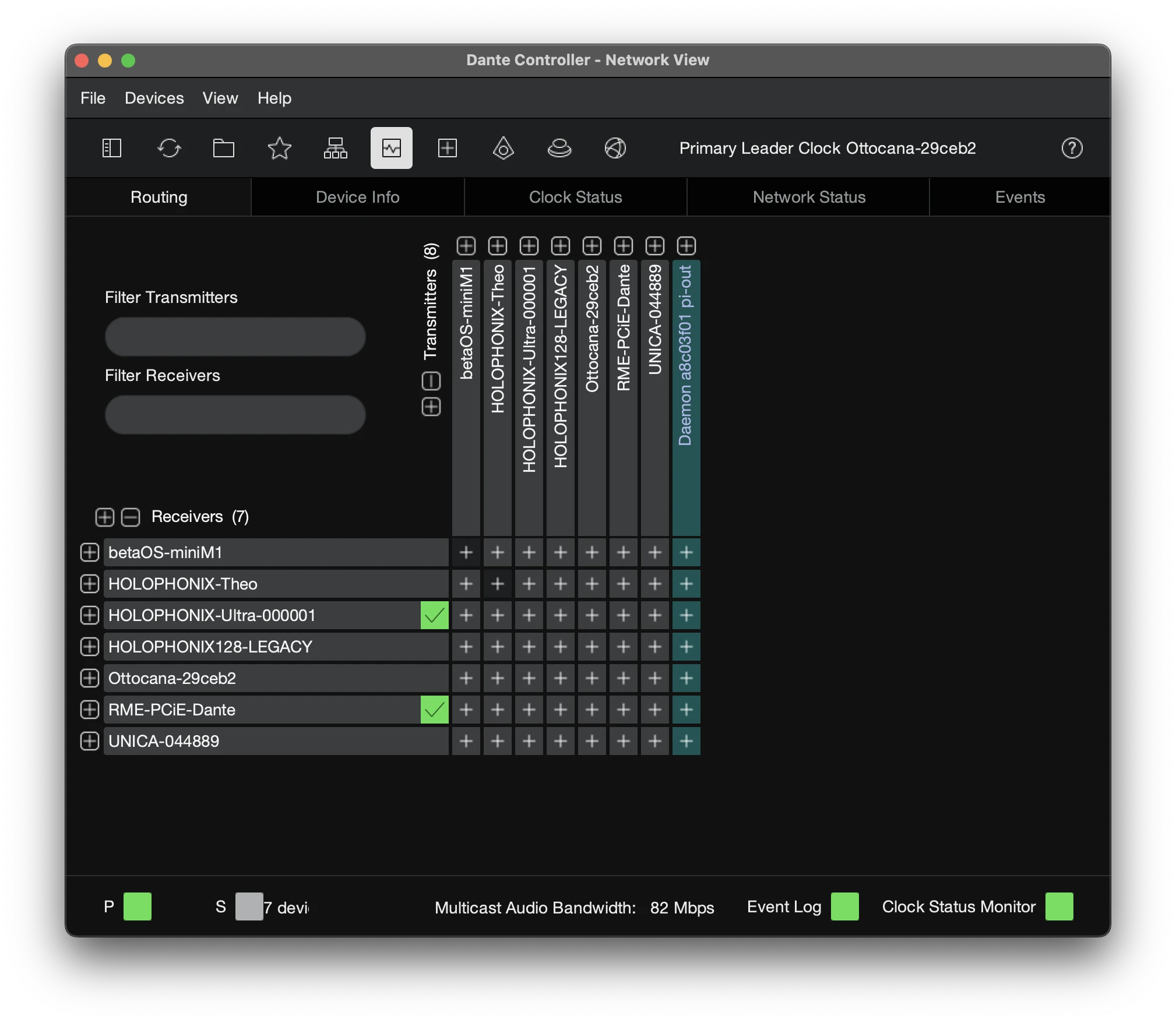
- AES67 transmit flows are advertised over the network (via SAP) and appear in blue in Dante Controller. They can take up to ~30 seconds to show up while the announcement propagates.
- Subscribe HOLOPHONIX to an AES67 flow (or subscribe an AES67 device to a HOLOPHONIX flow) in the Dante Controller routing grid, exactly as you would for a native Dante subscription.
Troubleshooting
- Subscribed but "no audio data" (red). The sender's multicast address is outside the receiver's RTP Multicast Address Prefix (default
239.69.0.0/16). Align the prefix on both devices. - No lock / clicks / dropouts. PTP is not locked, or the two ends are not on the same grandmaster and domain. Confirm both devices are PTPv2 and share domain
0. - Audio plays too fast with periodic glitches. A sample-rate mismatch (for example a 44.1 kHz source on a 48 kHz network). Keep the whole chain at 48 kHz.
- Occasional timestamp / media-clock warnings while PTP is locked. Often a cosmetic difference in how Dante-flavoured senders declare their media clock; if audio also glitches, increase the receiver's link offset.
- Network-level issues. Disable Energy-Efficient Ethernet and enable DSCP QoS on the Dante VLAN — see the Network Design & VLANs guide.